Free AI Voiceover Tool: Turn Your Text into Natural-Sounding Speech Online
Have you ever finished writing a video script, a presentation, or an important announcement, only to realize that recording the voiceover is going to take more time than creating the content itself?
Maybe you are a YouTube creator who does not feel comfortable speaking in front of a microphone. Perhaps you are a student preparing a presentation, a freelancer working on a client project, or a small business owner who wants to create a promotional video without hiring a voice artist.
This is where a free AI voiceover tool can make a real difference.
AI voiceover technology has changed the way people create audio content. Instead of recording every sentence manually, you can convert written text into spoken audio using text-to-speech technology. With the right voice and a well-written script, the result can sound clear, natural, and engaging.
But here is something worth remembering: simply converting text into speech does not automatically create a good voiceover. The quality of your script, the voice you choose, the pronunciation, and the way you structure your sentences all matter.
In this guide, we will explore how free AI voiceover tools work, how to use them effectively, and how different people can benefit from AI-generated speech. We will also look at practical examples so you can understand how to turn ordinary text into audio that people actually want to listen to.
What Is a Free AI Voiceover Tool?
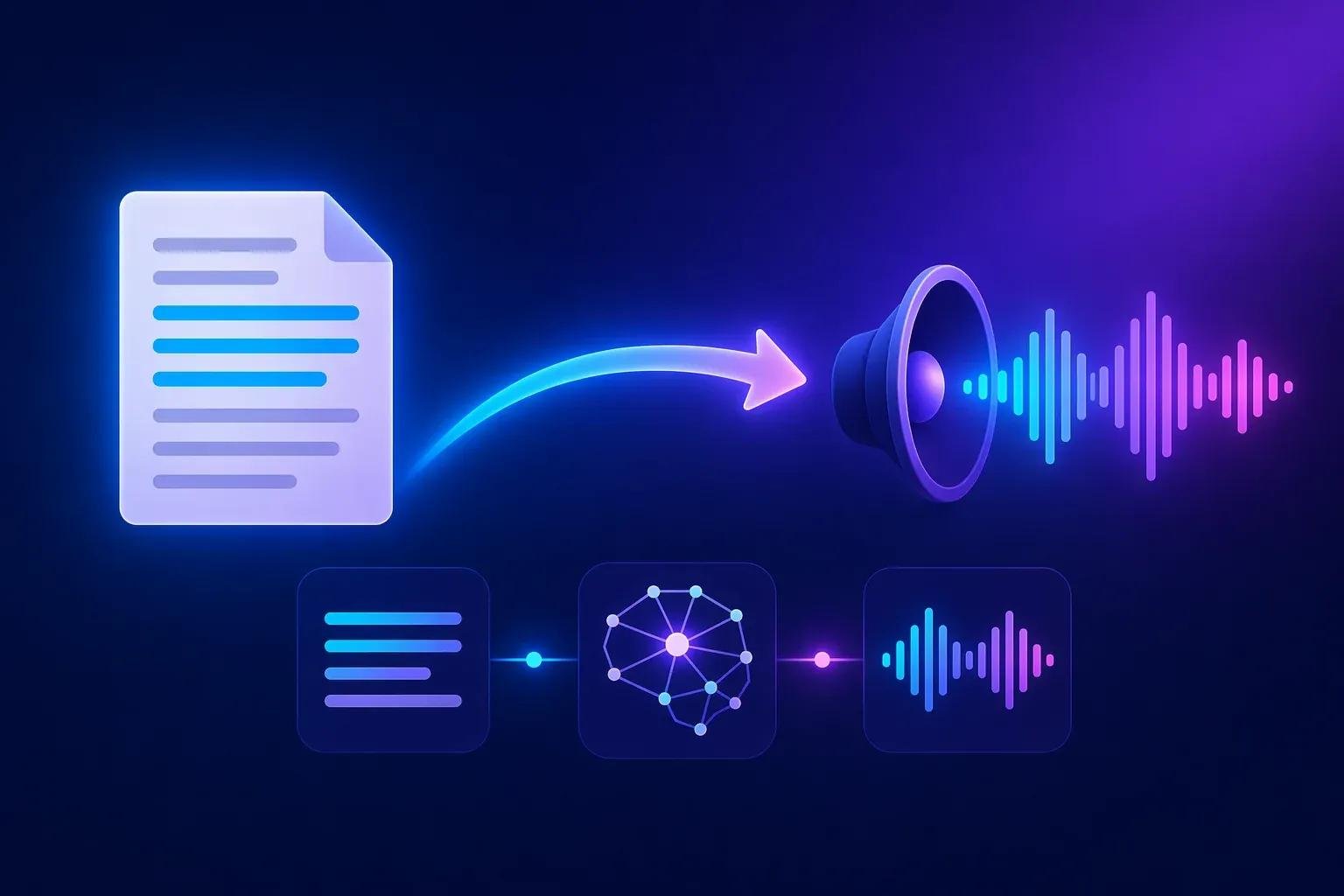
A free AI voiceover tool is an online application that converts written text into spoken audio using artificial intelligence and text-to-speech technology.
You provide the text, select an available voice, and generate speech. Depending on the tool, you may also be able to adjust the language, speaking style, speed, or other voice settings.
For example, imagine you have written the following sentence for a YouTube video:
"Welcome to our channel. Today, we are exploring the beautiful world of traditional Indian handicrafts."
Instead of recording this sentence yourself, you can enter it into an AI voiceover tool. The software processes the text and produces an audio version of the sentence.
This is particularly useful when you need voiceovers regularly but do not have access to a professional recording setup.
AI voiceover tools are commonly used for:
- YouTube videos and YouTube Shorts
- Instagram Reels and social media videos
- Educational videos and online courses
- Product demonstrations and advertisements
- Presentations and explainer videos
- Podcasts and audio content
- Website tutorials and instructional content
- Accessibility and spoken versions of written content
The biggest advantage is convenience. You can prepare your script and create audio without arranging a recording session every time.
How Does AI Text-to-Speech Technology Work?
AI voiceover technology may look simple from the user's perspective, but several processes work together to create speech.
First, the system analyzes the text you provide. It identifies words, sentence structure, punctuation, and other linguistic patterns.
Next, the speech generation model determines how the text should sound. This includes pronunciation, rhythm, pauses, and intonation.
Finally, the system generates an audio waveform that represents the spoken words.
Modern AI voice systems are designed to produce speech that sounds more natural than traditional robotic text-to-speech systems. However, the quality can vary depending on the technology, language, voice, and text being used.
For instance, a short English sentence with familiar words may sound excellent, while a sentence containing regional names, technical terms, or unfamiliar Hindi words may require some editing.
This is why reviewing the generated audio is always a good idea.
Why Are People Using Free AI Voiceover Tools?
There is a simple reason behind the growing interest in AI voiceovers: people want to create more content without making the process unnecessarily complicated.
1. No microphone or recording studio required
Not everyone has a quiet room, a good microphone, or the confidence to record their own voice.
AI voiceover tools offer an alternative. You can create audio from written text without worrying about background noise, recording equipment, or repeated takes.
2. Save time during content creation
Suppose you create five videos every week. Recording, editing, and re-recording voiceovers can take a considerable amount of time.
With AI-generated speech, you can prepare multiple scripts and generate their voiceovers in a more streamlined workflow.
This does not mean every voiceover will be perfect on the first attempt. You may still need to adjust your script or regenerate a section. But it can reduce the amount of manual recording involved.
3. Create content in different languages
Language is an important part of reaching an audience.
A creator who makes English videos may also want to reach Hindi-speaking viewers. Similarly, a business may want to create content for audiences who speak different regional languages.
AI voiceover tools that support multiple languages can help with this process. The available languages and voice quality depend on the tool.
It is important to review regional pronunciation carefully, especially when your content includes names, cultural references, or local expressions.
4. Maintain consistency across videos
For businesses and creators, consistency matters.
If you are creating a series of tutorials, product videos, or educational content, using a similar voice and speaking style can help maintain a recognizable identity.
Some AI voiceover platforms offer voice settings that make it easier to maintain a consistent style across different projects.
Who Can Benefit from a Free AI Voiceover Tool?
AI voiceover technology is not limited to professional video creators. It can be useful for people working in different fields.
YouTube creators
YouTube creators can use AI voiceovers for educational videos, explainers, documentaries, tutorials, and other content formats.
For example, a creator making a video about India's traditional art forms can write a script about Madhubani painting, generate a narration, and combine the audio with relevant visuals.
The creator can focus more on research, storytelling, and editing rather than recording every line manually.
Students and educators
Students can convert presentation scripts into spoken audio to practice their delivery or create educational projects.
Teachers can use narration in lessons, instructional materials, and learning resources.
For example, a student preparing a presentation on climate change could convert the introduction into speech and use it as narration in a video presentation.
Freelancers and digital marketers
Freelancers often work on multiple projects with different requirements.
AI voiceovers can help them create narration for explainer videos, advertisements, product demonstrations, and social media content.
A digital marketer preparing a product video for an online store may find it easier to revise a script and regenerate the audio than to arrange a new recording every time a product detail changes.
Small businesses and online sellers
Small businesses may not have the budget to hire professional voice artists for every promotional video.
AI voiceovers can provide a convenient starting point for product introductions, tutorials, and marketing content.
For example, a handmade product seller can create a short narration explaining how a product is made, what materials are used, and why the item is special.
When the story behind a product matters, a thoughtful script can make the narration much more engaging.
How to Create a Voiceover Using an AI Voiceover Tool
Creating a voiceover does not have to be complicated. The following workflow can help you get better results.
Step 1: Prepare your script
Start with the text you want to convert into speech.
Before using the tool, read the script once. Check whether the sentences sound natural when spoken aloud.
Written content and spoken content are not always the same. A long sentence that looks fine on a screen may sound confusing when read by a voice.
Try to use clear sentences and avoid unnecessary complexity.
Step 2: Choose the right voice
Select a voice that suits your content.
A calm and clear voice may work well for educational videos. A more energetic voice may suit promotional content. A conversational voice can be useful for tutorials and social media videos.
Do not choose a voice simply because it sounds impressive. Think about your audience and the message you want to communicate.
Step 3: Select the language and available settings
If the tool supports language or voice settings, choose the options that best match your script.
For multilingual content, make sure the selected voice supports the language you are using.
When available, experiment with speaking speed and other controls. A slightly slower pace can make complex educational content easier to understand.
Step 4: Generate the audio
Enter your prepared text and generate the voiceover.
Depending on the tool, the audio may be available for preview or export.
Do not assume the first result is automatically the best one. Listen to the generated speech and identify any sections that sound unnatural.
Step 5: Review the pronunciation
Listen carefully to names, numbers, abbreviations, technical terms, and regional words.
If a word sounds incorrect, try rewriting it in a way that makes the intended pronunciation clearer.
For example, a regional place name may need a phonetic spelling or a separate sentence to help the voice pronounce it correctly.
Step 6: Use the voiceover in your project
Once you are satisfied with the audio, add it to your video editor, presentation, or other content project.
Adjust the timing, background music, and visuals as needed.
A good voiceover should support your content rather than compete with it.
Practical Examples: Turning Ordinary Text into Better Voiceovers
One of the easiest ways to understand AI voiceovers is to see how a script can be improved before converting it into speech.
Example 1: YouTube educational video
Original text:
"India has many traditional art forms and these art forms are very important because they represent the culture and heritage of different regions."
This sentence is understandable, but it is long and slightly repetitive.
Improved voiceover script:
"India is home to countless traditional art forms. Each one tells a story about the culture, heritage, and people of its region."
The improved version is easier to speak and gives the narration a more natural rhythm.
Notice that we did not simply shorten the text. We made the sentence more conversational and gave it a clearer storytelling structure.
Example 2: Product promotional video
Original text:
"This handmade pottery item is very beautiful and it is made by skilled artisans and it can be used for home decoration."
Improved voiceover script:
"Bring a touch of traditional craftsmanship into your home. This beautiful handmade pottery piece is created by skilled artisans and adds a distinctive charm to your decor."
The second version sounds more engaging because it focuses on the experience of the buyer rather than simply describing the product.
Example 3: Hindi voiceover
Written script:
"नमस्कार दोस्तों! आज हम आपको भारत की एक खूबसूरत पारंपरिक कला से परिचित कराने जा रहे हैं।"
This is a simple Hindi introduction suitable for an educational video.
If the selected AI voice struggles with Hindi pronunciation, try dividing the sentence into shorter sections or adjusting the wording.
For example:
"नमस्कार दोस्तों! आज हम भारत की एक सुंदर पारंपरिक कला के बारे में जानेंगे।"
Always listen to the generated audio before publishing it. A script that reads well in Hindi may still require small changes to sound natural in a particular AI voice.
How to Make AI Voiceovers Sound More Human
This is probably the most important part of the entire process.
Many people believe that selecting a realistic AI voice is enough to create a professional voiceover. In practice, the script often makes an even bigger difference.
Write the way people speak
Try reading your script aloud before generating the audio.
If you find yourself running out of breath, struggling with a sentence, or feeling that the wording is unnatural, the AI voice may face the same problem.
For example, instead of writing:
"The implementation of this innovative technological solution enables users to optimize their overall productivity."
You could write:
"This tool helps you get more work done with less effort."
The second sentence is simpler, clearer, and easier to understand.
Use punctuation to guide the voice
Punctuation can influence how a voiceover sounds.
A full stop creates a natural pause. A comma can separate related ideas. A question mark helps the voice express a question.
Consider this example:
"Creating videos is easier than ever. But does that mean every video sounds professional?"
The pause between the two sentences helps create a more engaging delivery.
Avoid unnecessary filler words
Human conversation contains filler words, but adding too many of them to a script can make the voiceover sound unnatural.
Words such as "actually," "basically," and "you know" should be used only when they contribute to the message.
The goal is not to make the AI voice imitate every habit of human speech. The goal is to make the narration easy and pleasant to listen to.
Match the voice to the emotion
A product advertisement, a historical documentary, and a meditation video should not necessarily use the same speaking style.
Think about the emotion you want your audience to experience.
For a historical video, a calm and thoughtful narration may be suitable. For a short promotional video, a more energetic delivery could work better.
When the tool provides voice styles or expressive settings, use them carefully. An overly dramatic voice can distract from the content.
Free AI Voiceover Tool vs. Traditional Voice Recording
Both AI-generated speech and traditional voice recording have their place. The right choice depends on the project.
| Factor | AI Voiceover | Traditional Recording |
|---|---|---|
| Recording equipment | Usually not required | Microphone and suitable recording environment may be needed |
| Time | Can be faster for script-based content | May require recording and retakes |
| Voice consistency | Can be consistent when using the same voice | May vary between recording sessions |
| Emotional expression | Depends on the voice model and settings | Human performers can offer nuanced expression |
| Editing | Text changes may allow quick regeneration | May require additional recording |
| Best suited for | Tutorials, explainers, narration, and repetitive content | Personal storytelling, interviews, and nuanced performances |
There is no need to treat these methods as competitors.
Some creators use AI voiceovers for routine narration and their own voices for personal content. Others prefer human voice artists for projects where emotional expression is central.
The best approach is the one that helps you communicate clearly with your audience.
Is a Free AI Voiceover Tool Good Enough for Professional Use?
A free AI voiceover tool can be useful for many projects, especially when you are starting out.
However, it is important to understand what "free" actually means for a particular platform.
Some tools offer free access with usage limits. Others may restrict the number of characters, available voices, audio downloads, or commercial usage.
Before using an AI-generated voiceover for a business project, review the platform's terms and licensing conditions.
You should also consider the quality of the final audio. A free tool may be perfectly suitable for a simple tutorial, while a high-budget advertisement may require more advanced production.
Professional quality is not determined by price alone. It depends on the script, voice, editing, and how well the final audio serves its purpose.
Common Mistakes to Avoid When Creating AI Voiceovers
Even a good AI voice can produce disappointing results when the script or workflow is poorly prepared.
Here are some common mistakes worth avoiding:
- Using long, complicated sentences: Break complex ideas into shorter sentences.
- Ignoring pronunciation: Review names, technical terms, and regional words.
- Choosing an unsuitable voice: Match the voice to your audience and content style.
- Skipping the audio review: Always listen to the final output before publishing.
- Adding too much background music: Keep the narration clear and easy to hear.
- Ignoring licensing: Check whether the generated audio can be used commercially.
- Making misleading claims: Do not use AI-generated narration to present false information or imitate someone without permission.
A few minutes of review can improve the final result considerably.
AI Voiceover and the Future of Content Creation
Content creation is becoming more accessible.
Earlier, producing a narrated video often required recording equipment, editing software, and a certain level of technical experience.
Today, AI voiceover technology allows more people to experiment with audio content. Students can create narrated presentations. Small businesses can prepare product videos. Independent creators can explore new formats without immediately investing in professional recording equipment.
But there is an important distinction between creating content quickly and creating content that people value.
Technology can help produce the audio. It cannot automatically replace your understanding of the subject, your creativity, or your ability to tell a meaningful story.
A useful video still begins with a useful idea.
A good voiceover still begins with a well-written script.
And a successful piece of content still depends on whether the audience finds it worth listening to.
Try a Free AI Voiceover Tool with KuberAgent
If you are exploring AI voiceover technology, an online text-to-speech tool can be a convenient place to start.
KuberAgent brings useful online tools together in one place, helping users explore practical solutions for everyday digital tasks.
Whether you are preparing a YouTube narration, experimenting with a product video, or creating audio for an educational project, the right workflow can make the process easier.
Start with a short script. Choose a voice that suits your content. Generate the audio, listen carefully, and make improvements where necessary.
You do not need to create a perfect voiceover on your first attempt. Sometimes, a small change in wording or punctuation can make a noticeable difference.
Ready to turn your text into speech? Explore KuberAgent's AI voiceover tool and discover a simpler way to create audio content.
Frequently Asked Questions (FAQs)
What is the best free AI voiceover tool?
The best free AI voiceover tool depends on your requirements, including voice quality, supported languages, usage limits, and download options. Compare the available features and test the generated audio before choosing a tool.
Can I convert text into speech for free?
Yes. Some AI text-to-speech tools provide free access to speech generation. However, the available features, usage limits, and export options vary by platform.
Can I use AI voiceovers for YouTube videos?
Yes. AI voiceovers can be used for YouTube videos, provided you follow the tool's licensing terms and YouTube's applicable policies. Your video should offer original, meaningful content rather than relying on repetitive or low-value material.
Can AI voiceover tools generate Hindi speech?
Some AI voiceover tools support Hindi text-to-speech. The quality of pronunciation and natural delivery may vary depending on the voice model and the words used.
Do I need a microphone to create an AI voiceover?
No. Text-to-speech tools generate speech from written text, so you generally do not need a microphone to create the voiceover.
Can AI voiceovers sound like real people?
Modern AI voice systems can produce natural-sounding speech. However, the result depends on the model, voice settings, language, and script. AI speech may still sound different from a human performance.
Are AI voiceovers suitable for commercial projects?
They can be suitable for commercial projects, but you should review the tool's licensing conditions and confirm that your intended use is permitted.
How can I make an AI voiceover sound more natural?
Use conversational wording, short sentences, correct punctuation, and a suitable voice. Review the generated audio and adjust any words or sections that sound unnatural.
Can I use AI voiceovers for Instagram Reels and YouTube Shorts?
Yes. AI voiceovers can be used for short-form videos, including Instagram Reels and YouTube Shorts. Keep the narration concise and ensure that it matches the timing of your visuals.
Is AI voiceover better than recording my own voice?
Neither method is always better. AI voiceovers can save time and provide consistency, while your own voice may offer a more personal connection with the audience. Choose the method that suits your content and goals.
Final Thoughts
AI voiceover tools are making audio content creation easier for people who may not have the equipment, experience, or time required for traditional recording.
From YouTube videos and educational presentations to product demonstrations and social media content, text-to-speech technology offers a practical way to turn written ideas into spoken words.
Still, the most important part of a voiceover is not the technology behind it. It is the message.
Write something useful. Choose a suitable voice. Review the audio. Make sure your content genuinely helps the people listening.
That is how you turn a simple AI-generated voiceover into content worth hearing.
```Ready to try AI Voiceover (Text-to-Speech)?
Convert text scripts into natural AI voiceovers with multiple language accent options. Process your files locally & securely right inside your browser. No registration required.